RentOS November 2026: Long-Stay Discounts, Incident Reports and a Starter Plan

RentOS is mid-term rental software: property management built for furnished apartments let for a month or more. Our November 2026 update, released on 10 and 16 November, lets you set long-stay discounts and fees once for your whole portfolio, turn incidents into PDF reports, keep guest IDs complete and start on a new Starter plan.
Here is what changed and why it matters if you manage monthly rentals.
Set long-stay discounts and fees once for your whole portfolio
Pricing a large portfolio used to mean editing each property one by one. You now set it once.
- Fees. Set your cleaning fee and other fees once in Settings, under Fees, and they apply to every property. Each property also has a Fees tab that shows exactly what the guest pays.
- Long-stay discounts. Add discounts for your whole company, a city, a building, a group of properties or a single property. When several rules could apply, the most specific one wins. A typical setup is 3% from one month and 8% from six months across the portfolio, with an exception for one building.
- Minimum stay. Change the minimum stay for all properties, one building or a selection, in one go.
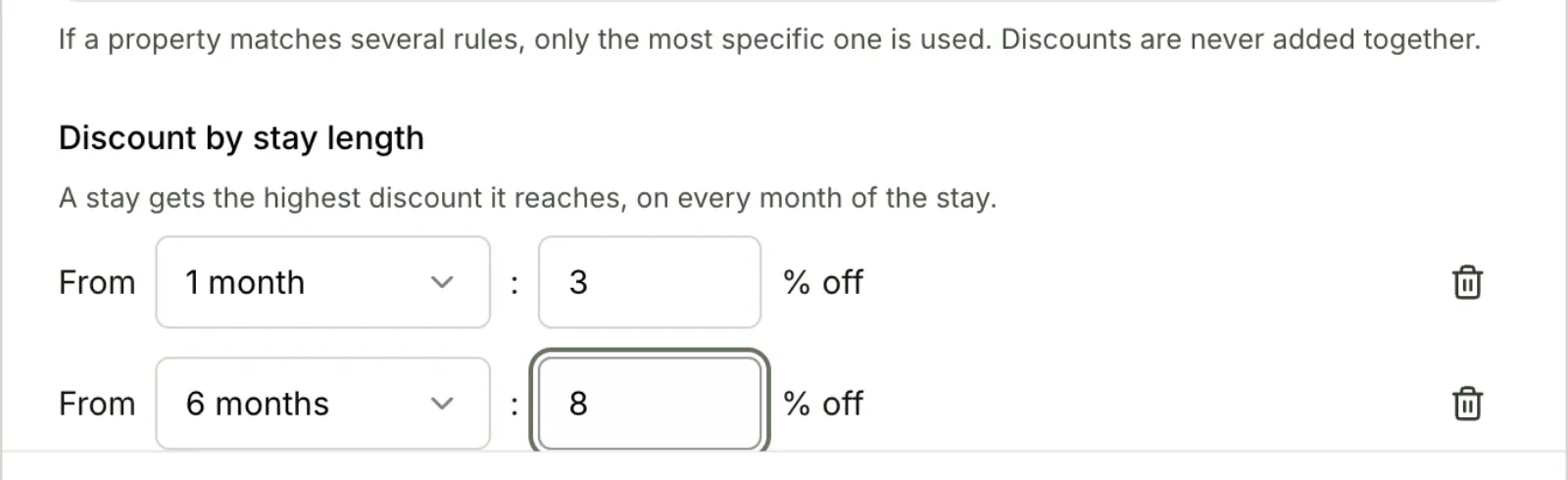
When a property matches several rules, RentOS uses the most specific one. Discounts are never added together.
| Rule, most specific first | Covers |
|---|---|
| Property | One property |
| Selected properties | A named group you pick by hand |
| Building | Every property in the building |
| City | Every property in the city |
| Company default | Every property without a more specific rule |
Long-stay discounts are central to mid-term pricing. Rules that follow your portfolio structure save time every time you add a building or a unit.
Price monthly rentals with fewer mistakes on the calendar
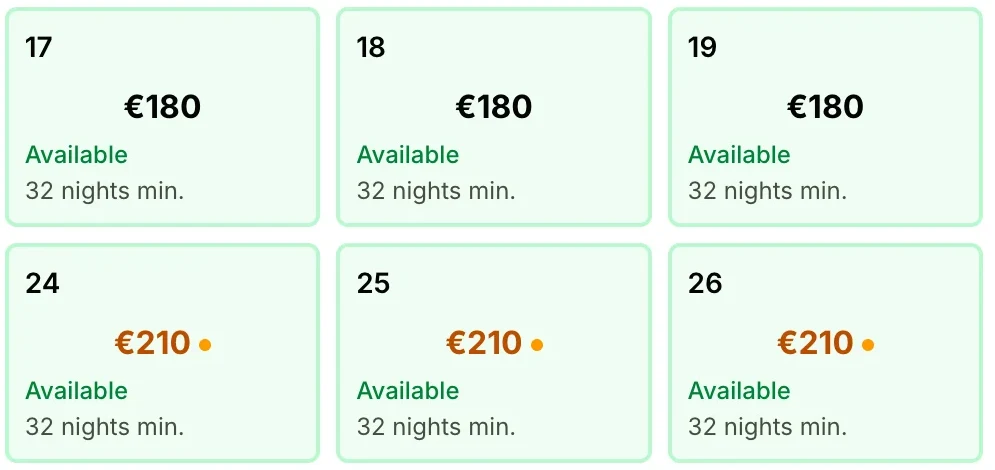
Nights where you set a specific price are now marked on the property calendar, so a forgotten holiday rate or discount does not go unnoticed. You can return any of them to your usual price in one click. Months with a fixed monthly price also read correctly, which matters when you price furnished monthly rentals by the month.
Generate incident reports for guest damage claims
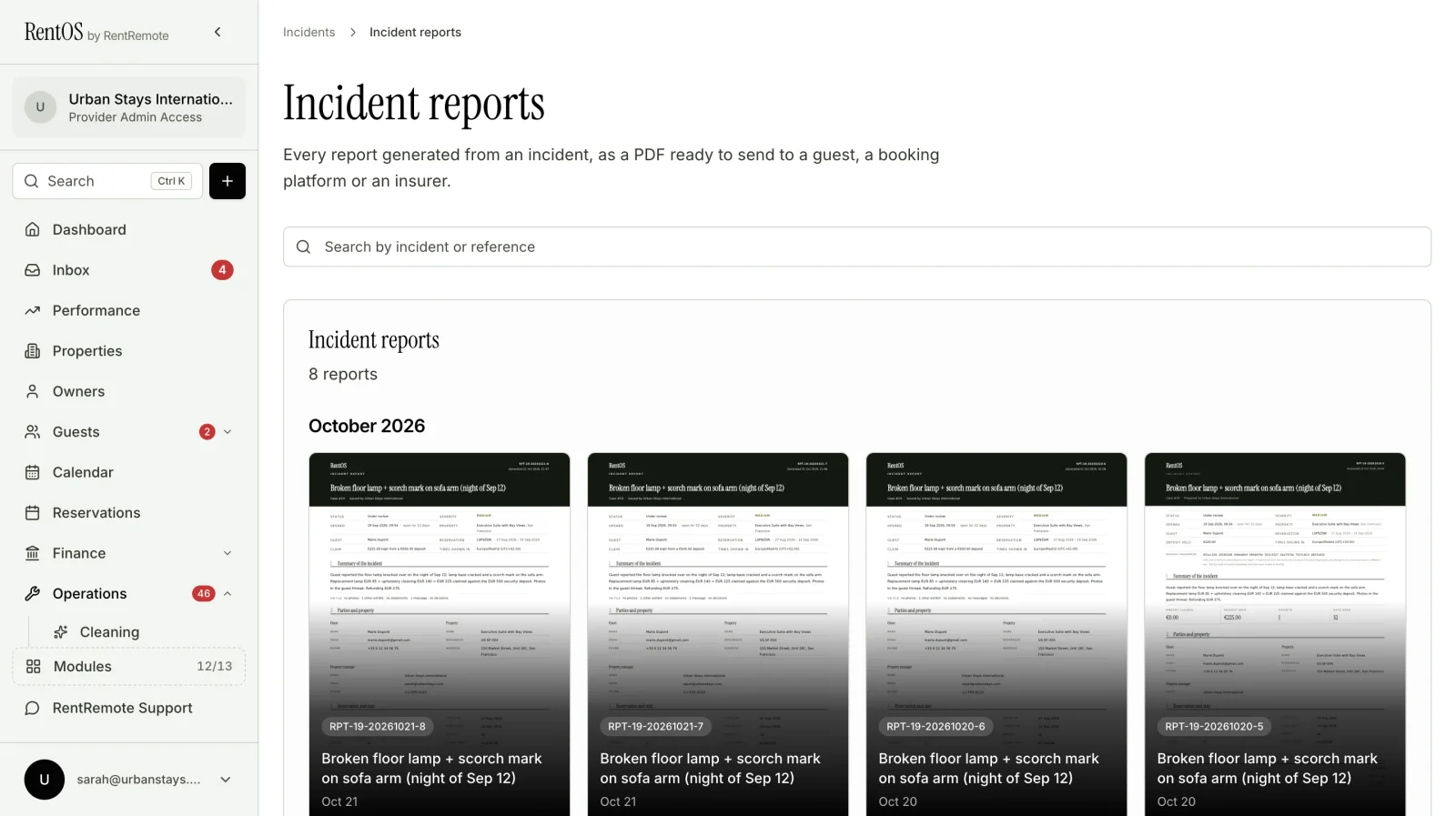
When a guest damages something, you need a document, not a list of notes. Generate report turns an incident into a clean PDF in English, Spanish or French, ready to send to a guest, a booking platform or an insurer. A new Incident reports page lists every report you have produced, and you can edit or withdraw an incident you filed.
Store complete guest IDs as one document
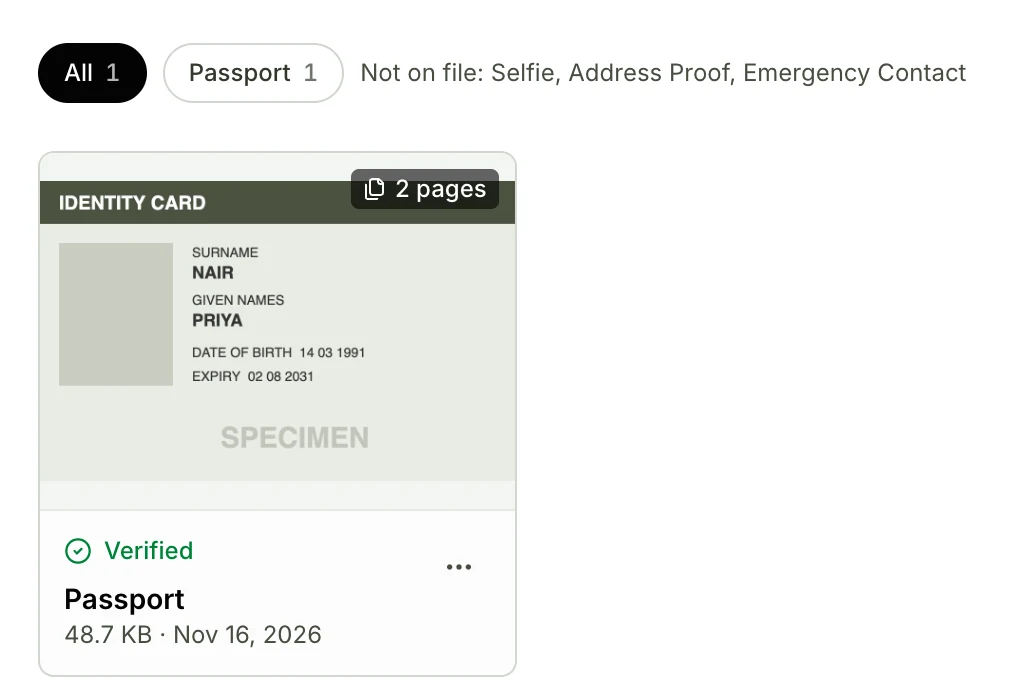
Both sides of an ID card, or a passport and its visa page, are now stored together as one document. Upload them in one go from the guest profile or the reservation, see how many pages each document has, and add or remove pages later. When an owner, a building or the authorities ask for a guest's ID, you have the full document ready.
Track every lead you sell to RentRemote
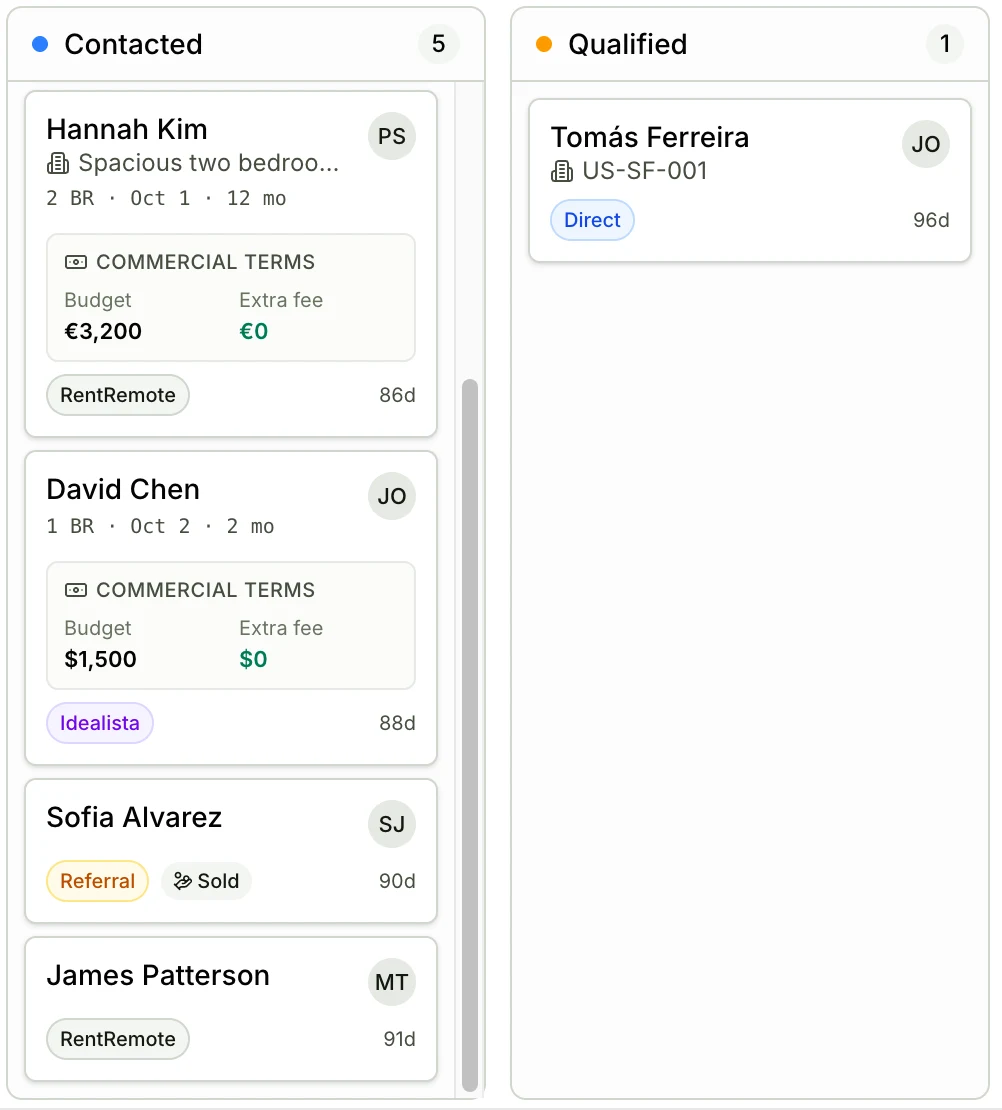
Leads you sell to RentRemote now show as Sold in your pipeline, with the status of the sale, and you can open the sale directly from the lead. A guest you already sold is no longer offered for sale a second time, and if RentRemote declines a lead you see why. You can follow each lead until it earns you a commission.
Show your team only the RentOS modules they use
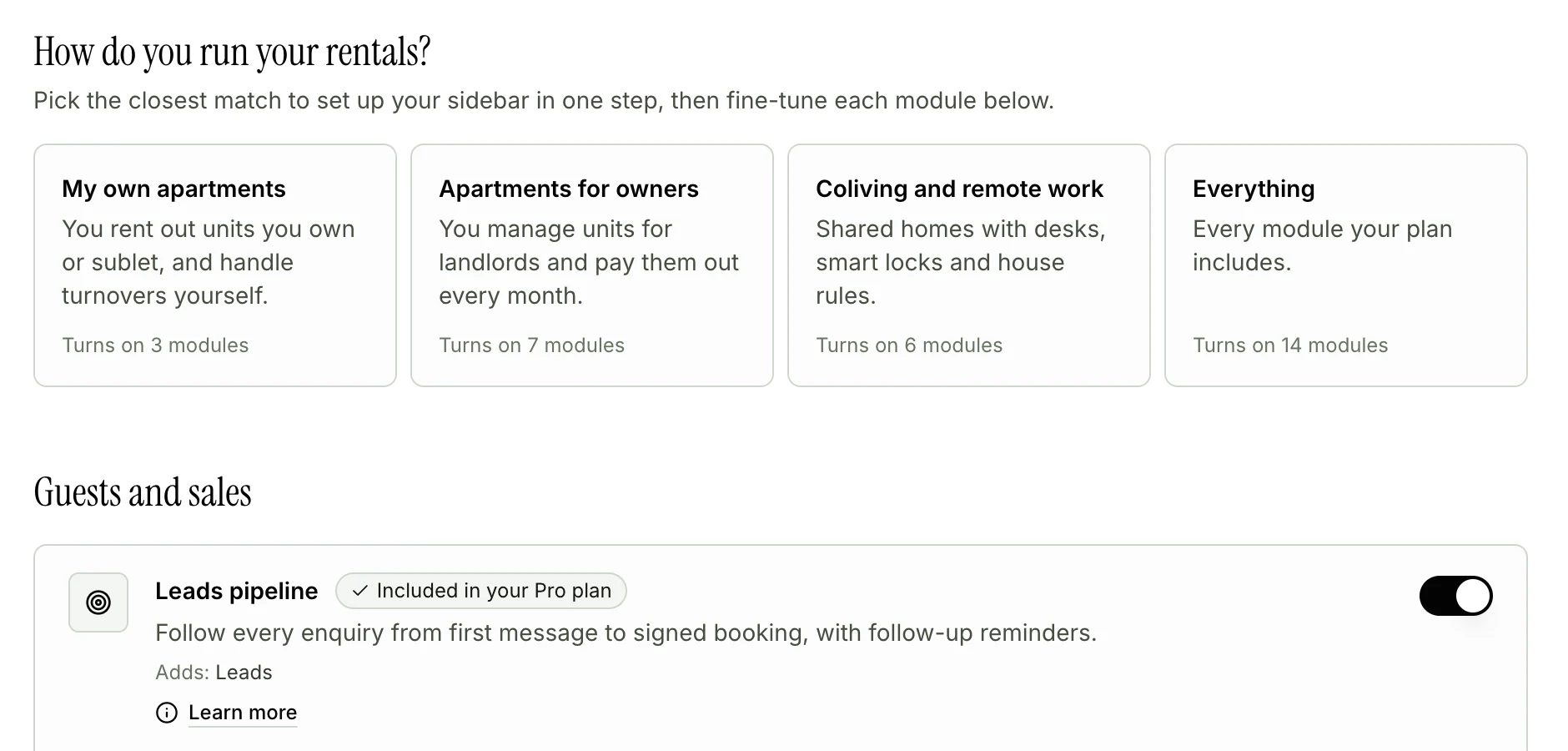
A new Modules page lets admins switch features such as Owners, Deposits or Operations on or off for the whole team, with ready-made presets. Settings is now one grouped menu instead of a row of tabs.
Roles are tighter too. Cleaning and maintenance staff no longer see booking amounts on the Dashboard, Reservations, incidents, Performance, Owners or Workstations. View-only roles get read-only pages where controls are disabled and say why. You can share RentOS with field staff without sharing your numbers.
See the next payment on every reservation
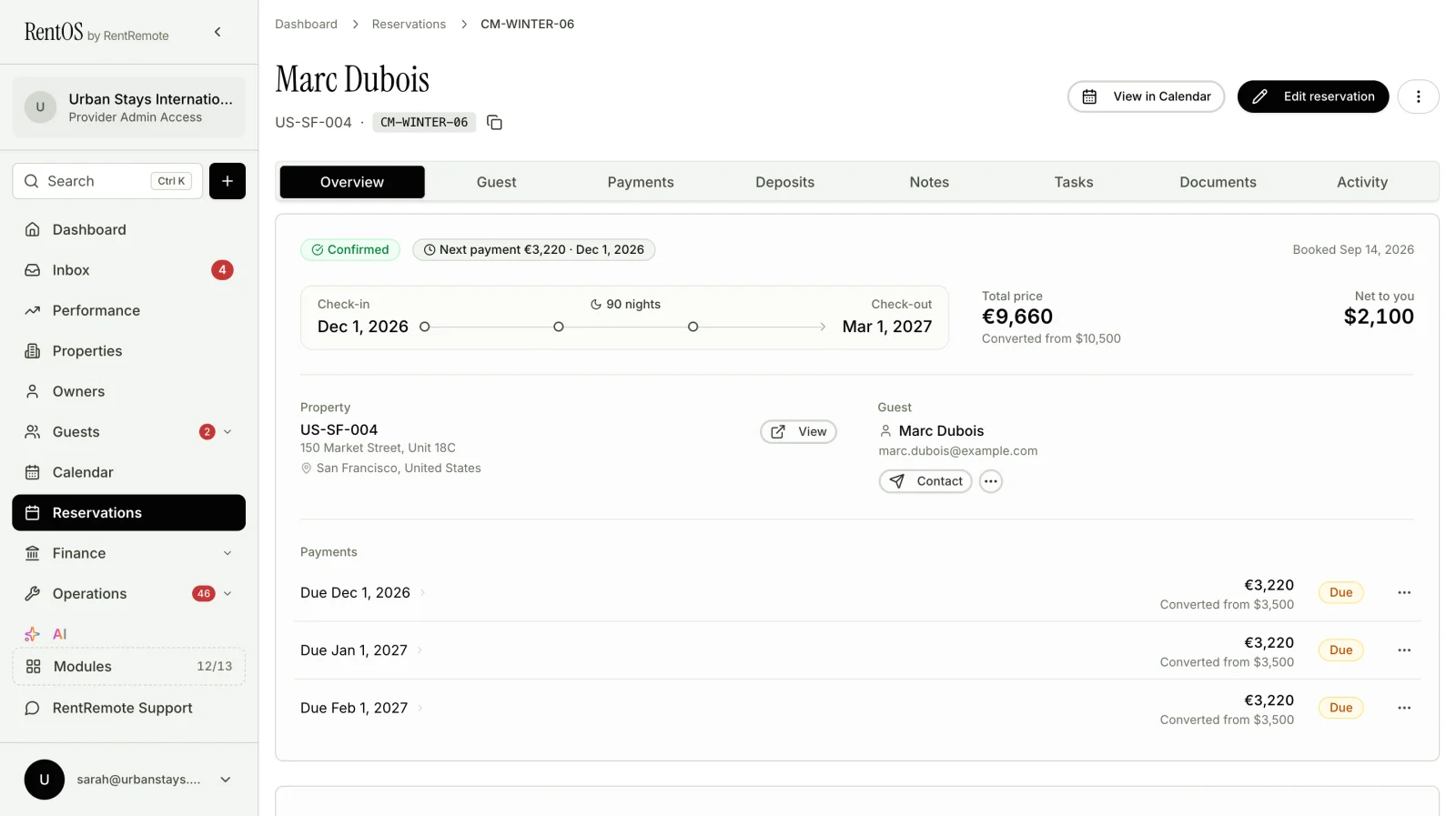
The reservation page is shorter. A single stay line shows a dot for each payment due date, and the status chip names the next payment. Each payment row has one menu for its actions. You can cancel a booking from Actions with a reason, which frees the nights on the calendar.
Set up taxes and invoices for your country
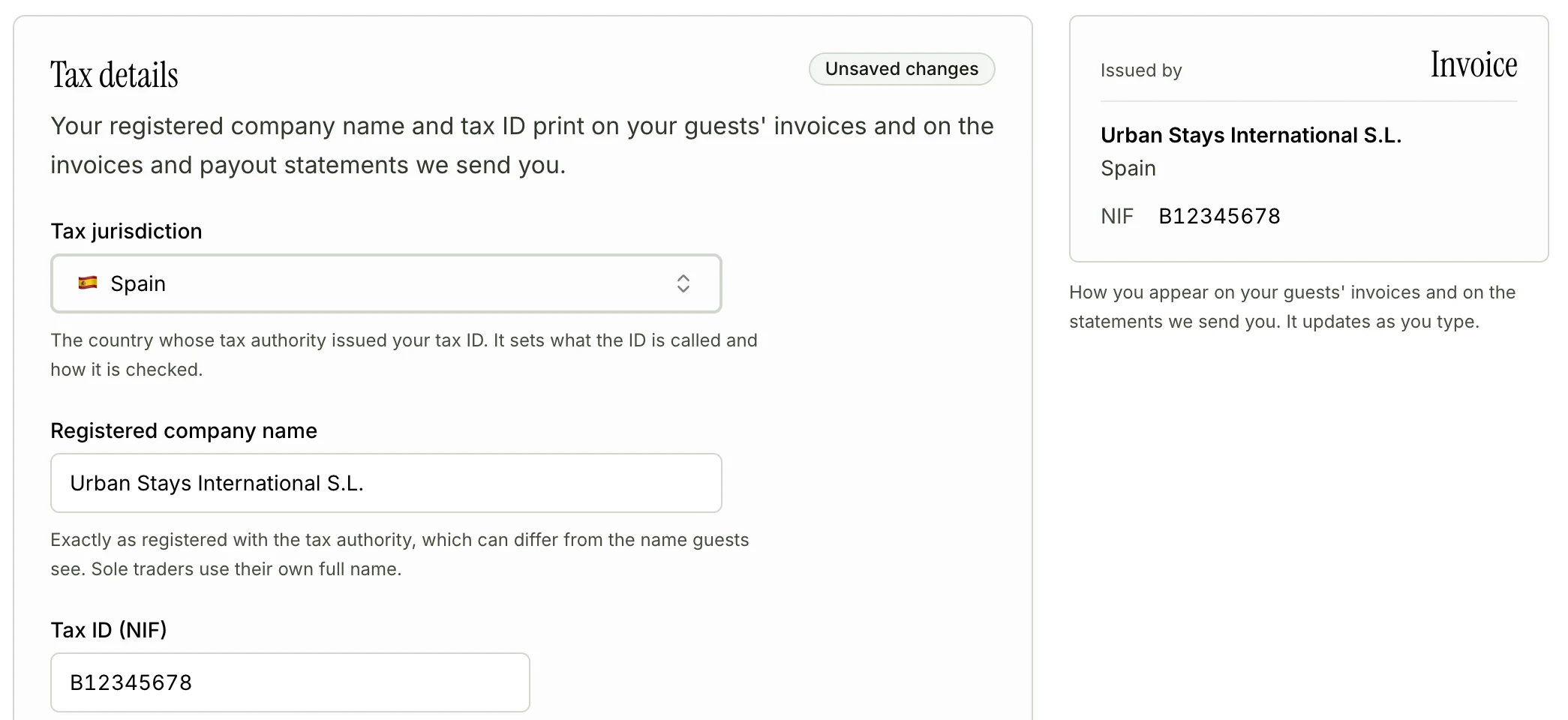
Settings now has a Taxes page that asks for your tax ID under your country's own name for it, such as NIF in Spain, and shows a live preview of how you appear on invoices. Invoices can be addressed to a company, with its address and tax ID. You can change your company currency, and dates, times and amounts follow each person's timezone, date format and currency display.
Photos and the RentRemote inbox
- Photos. Open any property photo at full size and move through the set with arrows and thumbnails. Sort with AI places unsorted photos into the right rooms, and you can undo it.
- RentRemote bookings. Bookings that come from RentRemote carry a tag in the Inbox, and you can ask RentRemote a question straight from the conversation. RentRemote invoices appear on the Billing page and in each booking's Documents.
A new Starter plan replaces the Free plan
RentOS plans are now Starter, Pro, Scale and Enterprise. Starter replaces the Free plan, so you can start small and move up as your portfolio grows. Changing plan now updates your current subscription instead of starting a second one, and cancelling explains what your account becomes before you confirm.
| Plan | Properties | Connected units |
|---|---|---|
| Starter | Up to 15 | Not included |
| Pro | Up to 30 | Up to 10 |
| Scale | Up to 100 | Up to 25 |
| Enterprise | Unlimited | Unlimited |
Prices for each plan are on the pricing page.
Smaller improvements
- Date pickers cross out nights already held by another booking, including far in the future, and same-day turnovers can check out.
- Creating a reservation tells you if the dates were just taken.
- Property import warns about references already in your account and reads more file types.
- The Leads pipeline loads every lead, follow-ups land on the right day, and Convert no longer suggests booked dates.
- Downloaded payout statements always match their payout, and Performance converts every booking into your currency before adding up revenue.
- Smart lock access tells you when the Akiles connection needs renewing.
- The Owners export includes every owner, and Billing shows the price you actually pay.
- French and Spanish are more complete, and new properties get their check-in and check-out times.
Frequently asked questions
What is mid-term rental software?
Mid-term rental software is property management software for stays longer than a vacation rental and shorter than a standard lease, usually one month to several months. It handles monthly pricing, long-stay discounts, payment schedules, deposits and guest documents for furnished apartments.
How do long-stay discounts work in RentOS?
You add a discount tier, for example 3% from one month, and choose its scope: the whole company, a city, a building, a group or one property. If more than one rule applies to a booking, the most specific rule wins.
Can I send an incident report to a guest or an insurer?
Yes. Generate report creates a PDF of the incident in English, Spanish or French that you can send to a guest, a booking platform or an insurer.
Can I hide parts of RentOS from my team?
Yes. Admins choose which modules the team sees on the Modules page, and cleaning and maintenance roles no longer see booking amounts.
What happened to the Free plan?
The Starter plan replaces it. RentOS plans are now Starter, Pro, Scale and Enterprise.
Try the November update
Everything above is live in your RentOS account now. If you manage furnished apartments on monthly stays and want to see it, start with the Starter plan. If something does not work the way you expect, tell us. Most of this month's changes came from operators describing what slowed them down.